👋 Introduction
Thank you so much for starting this walk-through!
Being able to share my learning's with people like you will help me so much in my development as an artist and communicator.
And for that, I can't thank you enough.
I truly hope you will be able to take away some "aha!" moments from these notes and the walk-through, and that you'll enjoy reading and watching it as much as I did making it.
Now, if you could do me one favor—if you learn something from this walk-through, go, test it out, and create something awesome!
Don't let this sit on your hard drive collecting virtual dust.
And as always...
Stay consistent, use reference, have fun with it, and remember... it's only pixels, baybee!
Cheers, Ben
The Subject
Original Post
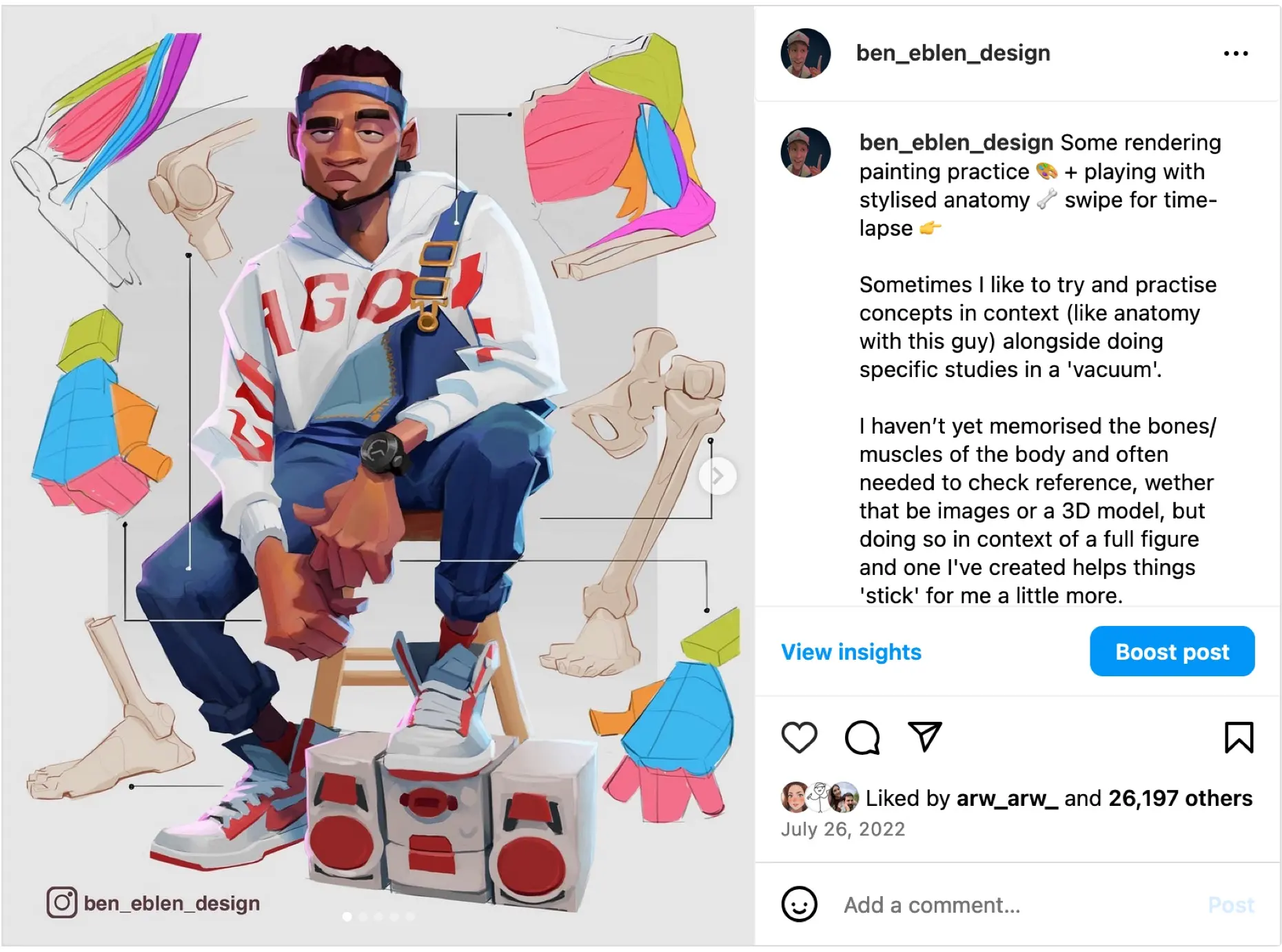


What's Included?
What you'll get with this session:
Real-time screen recording
I recorded this session, so you can skip around at your leisure to see in real-time how I did certain things.
What you'll learn
What I'm hoping you'll get out of this sketch note session...
🛠️ The Tools
What I used for this session:
These are just the tools I happened to use. Most everything I talk about/demonstrate you can achieve with standard digital painting software and a tablet or iPad.
🖌️ Brushes
Max Grecke's Brush Pack
A Great Substitute (+ Free!): Ahmed Aldoori's Brush Pack
Procreate
Discussion
No discussion yet.